


How to Use Microsoft Windows Malicious Software Removal Tool | Protect…
Date
2026-03-30
Views
516

Malware attacks are unexpected and without proper actions could easily damage your PC! But worry not as these steps will help you to use and activate this tool.
💻 Open the Run Command 
⬤ Press Windows Key + R on your keyboard
⬤ Type 'MRT' in command and press enter
🚀 Launch the Tool 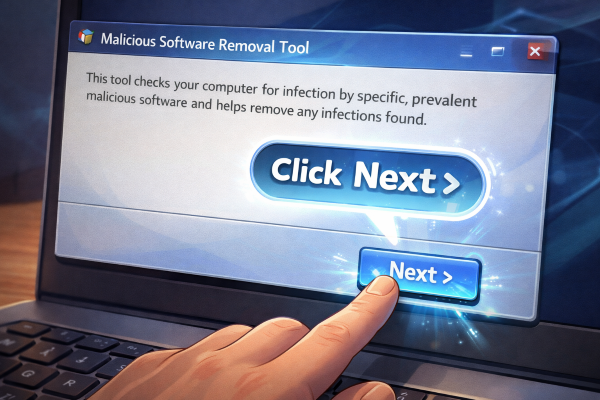
⬤ A window titled Malicious Software Removal Tool will open
⬤ Click Next to proceed.
🔎 Choose Scan
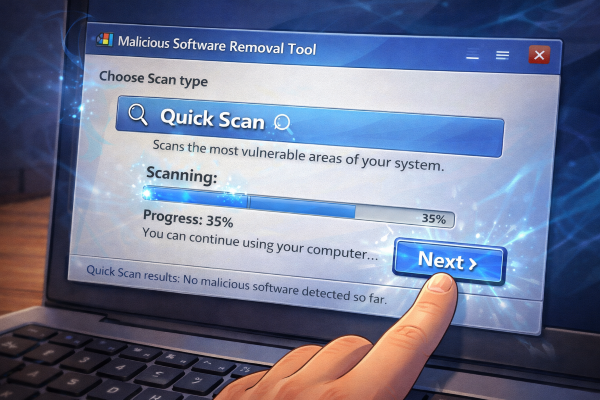
⬤ Select Quick Scan – this scans the most vulnerable areas of your system.
⬤ Run the Scan The tool will begin scanning your system. Progress will be displayed, and you can continue using your PC while it runs.
📁 Review Results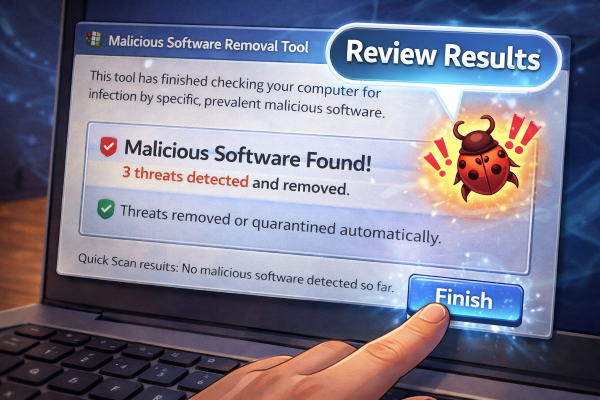
⬤ Once complete, the tool will show if any malicious software was found.
⬤ If threats are detected, it will remove or quarantine them automatically.
✅ Hurry up and check if your PC has malware!
🎥 For the complete video presentation, please click the link below:
👉 https://www.youtube.com/watch?v=-w_nWeYWMi0
🎓 For tips, guides, and tutorial content, please visit our official YouTube channel:
👉 https://www.youtube.com/@OPENPINOYiWatchYou
📞 Contact Information
For inquiries and further assistance, please reach us through the following channels:
📱 Mobile / Viber: 0917-822-1232 / 0917-822-3232
📧 Email: openpinoy_onlinesales@hotmail.com
🌐 Website:
👉 Website for B2B - WWW.OPENPINOY.NET
👉Website for Retail - WWW.OPENPINOY.COM
OPENPINOY©️
🤝 We are pleased to assist you with your needs.