


Boost Your PC in Seconds! | Introducing Microsoft PC Manager
Date
2026-01-23
Views
502

We introduces Microsoft PC Manager, a new tool designed to help improve your Windows PC’s performance. It focuses on showing how you can boost your computer’s speed and responsiveness using this built-in or official Microsoft utility.
📥 1. Getting Started: Downloading and Installing
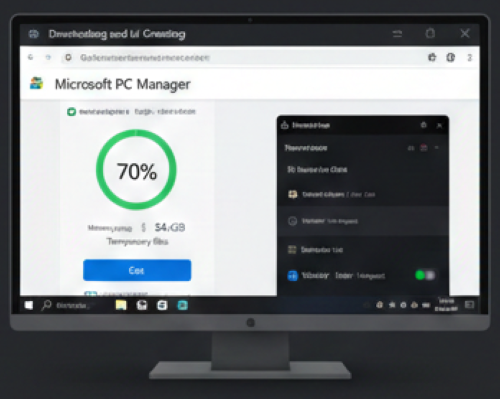
• Finding the App: The first step is to download the app from the official Microsoft website. This ensures you are getting a legitimate and secure version of the software.
• User Interface: Once installed, the app opens to a clean, simple dashboard that makes performance management accessible to all users.
🚀 2. Instant Performance Boosting
The "Boost" Button: This is the primary feature on the main dashboard. Clicking it provides an immediate "tune-up" for your PC by:
• Clearing Temporary Files: Removes unnecessary files that clutter your system and slow down performance.
• Freeing Up Memory (RAM): Instantly reclaims system memory to help your applications run more smoothly. The video describes this as a "power nap" for your PC, leaving it refreshed and faster.
🧾 3. Comprehensive System Health Check
Scanning for Issues: The Health Check tool scans the system for three key areas of concern:
• System Issues: Identifies potential problems within the operating system that might be affecting performance.
• Startup Overload: Looks for too many applications running at startup, which can significantly slow down boot times.
• Junk Files: Identifies unnecessary files that are taking up space.
One-Click Fix: After the scan, users can click "Proceed" to resolve all detected issues at once.
🔁 4. Storage Management & Deep Cleanup
• Deep Cleanup: For users struggling with low disk space, the Storage Management section offers a "Deep Cleanup" tool. This feature goes beyond the standard boost to find and remove "hidden clutter" that may be buried deep within system folders.
📊 5. Bootup Optimization
• Managing Startup Apps: The video addresses the common issue of slow boot times. Inside the app, users can easily disable unnecessary startup applications.
• Simplified Process: This feature is particularly useful because it allows users to manage these settings directly within the PC Manager app, avoiding the need to navigate through complex Windows system settings.
🔧 6. Security and System Protection

Collaboration with Microsoft Defender: Unlike third-party "cleaner" apps that may conflict with antivirus software, PC Manager is built to work seamlessly with Microsoft Defender. This partnership ensures the system remains protected against malware and unwanted software while optimization tasks are being performed.
• External Threats: Guarding against malware and other cyber threats.
• Unwanted Software: Identifying and removing programs that may have been installed without your consent.
All-in-One Solution: The app is presented as a unified solution for keeping your PC fast, clean, and secure.
🎯 Benefits for Users:
• Faster performance — by removing clutter and unnecessary tasks running in the background.
• Easier maintenance — one tool instead of manually searching for cleanup and optimization settings.
• Great for users who want to improve their PC speed with minimal effort.
🎥 For the complete video presentation, please click the link below:
👉 https://www.youtube.com/watch?v=9w1mqOm99Yg
🎓 For tips, guides, and tutorial content, please visit our official YouTube channel:
👉 https://www.youtube.com/@OPENPINOYiWatchYou
📞 Contact Information
For inquiries and further assistance, please reach us through the following channels:
📱 Mobile / Viber: 0917-822-1232 / 0917-822-3232
📧 Email: openpinoy_onlinesales@hotmail.com
🌐 Website:
👉 Website for B2B - WWW.OPENPINOY.NET
👉 Website for Retail - WWW.OPENPINOY.COM
OPENPINOY©️
🤝 We are pleased to assist you with your needs.